YOUR VIDEOS. A CLOSER LISTEN.
Stay with the sentence you missed.
Bring a video and matching subtitles into Duoler. Repeat one sentence, hide the text, then reveal it to check the words you missed.
For iPhone · iOS 18.1 or later
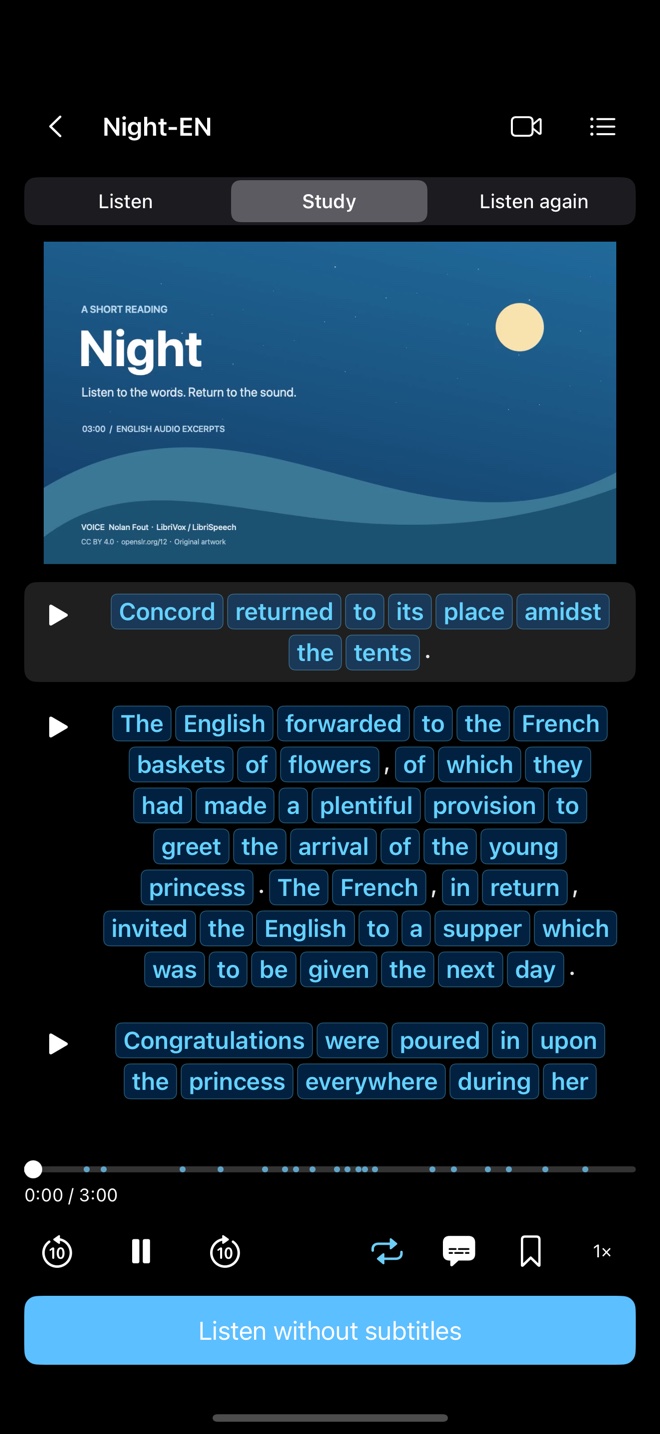
Two views of the same sentence
A SMALL LISTENING ROUTINE
Listen. Look. Try again.
You don’t have to get through the whole video. Start with one sentence that almost makes sense.
- 01
Find your sentence
Choose a short learning section from a video you have permission to use. Pick one line you want to hear again.
- 02
Stay with it
Turn on the sentence loop. Read the matching subtitle when you need it, and listen for how the words run together.
- 03
Give your ears a turn
Hide the words and listen again. Reveal them to check the bit you missed, then move on when you’re ready.
START WITH YOUR OWN FILES
A video you like.
Subtitles that match.
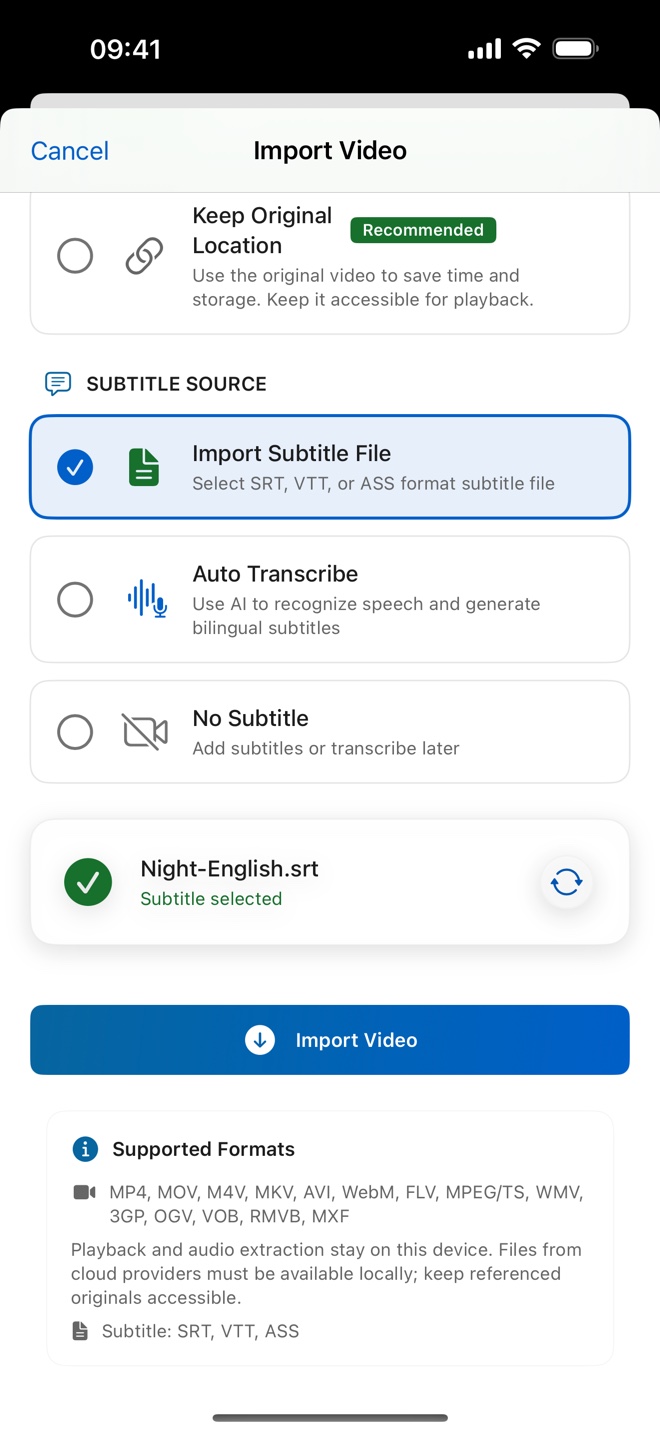
Save a video and its matching SRT subtitle file in Files on your iPhone. Import both into Duoler, open a learning section, and choose a sentence.
Follow the import guideDuoler does not include a film library. The demonstration uses a separately imported sample and prepared subtitles.
WHEN YOU WANT A HAND
Two guides to get you going.
A FEW PRACTICAL DETAILS
Before you start.
Do I need to bring my own video?
Yes. Duoler uses files you bring from the Files app. Prepare a video you have permission to use and subtitles made for the same edit. A streaming webpage link is not a local video file.
Do I need AI subtitles for this?
No. These guides use an existing SRT file. You can import the prepared subtitles along with your video and start practising.
What does the free five-minute allowance mean?
The published free AI-subtitle allowance is five minutes a day, up to five minutes per video. It is not a five-minute daily limit on practising with imported subtitles. Optional subscriptions add AI-subtitle features; current pricing and eligibility are shown in the App Store.
Which devices can I use?
Duoler is available for iPhone with iOS 18.1 or later. Check the current App Store listing for compatibility and purchase details.
One sentence is a good place to start.
Bring your files. Pick the part you want to hear again.